
Crossette beta test
Crossette is an iPhone and iPad app for marking stitches right on your own chart. Before launch we're testing it with stitchers. The beta starts after Apple's review, lasts three to four weeks and runs through TestFlight, Apple's service for beta apps.
What the app already does is on the home page. How to start, step by step: Your first evening in the beta.
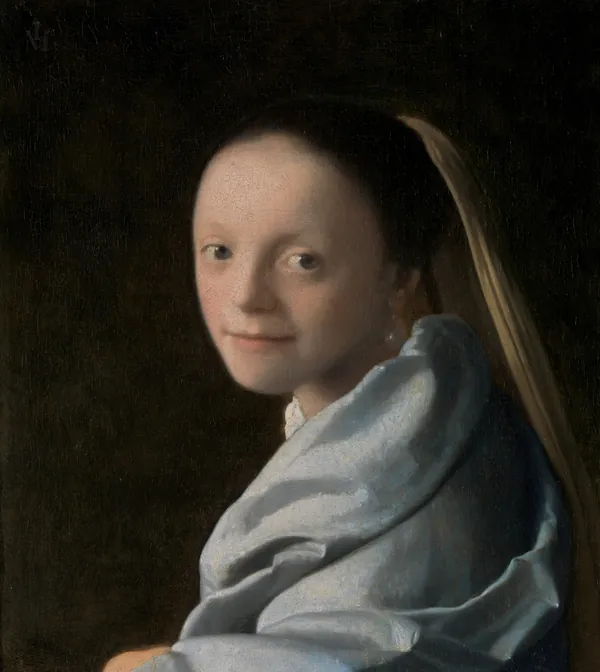
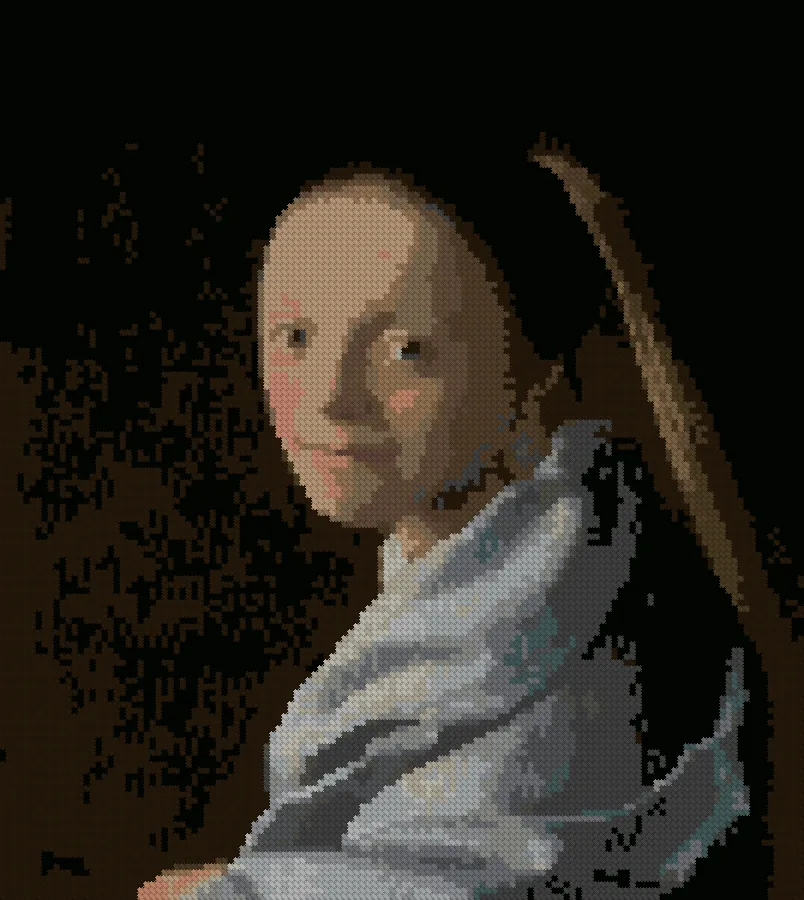
An example: a chart from a portrait
Who we're looking for
- You cross stitch from charts you bought or downloaded.
- You have an iPhone or iPad. Android comes later.
- You're happy to make a chart from your own photo or open an OXS chart — your own or a free one from our site.
What we ask
- Make a chart from your own photo, or open your own OXS chart.
- Check a chart from a file against the original — the paper chart or the printable PDF: the grid, the symbols, the thread colours.
- If you've already started the chart — on paper or in another app — bring your marks over from a photo or a screenshot.
- Stitch from it for a few evenings, marking your stitches.
- Once, close the app in the middle of your work and open it again — your marks should still be there.
- Tell us what gets in the way: with the button in TestFlight or by replying to our email.
What you get
- Early access to the app for the duration of the beta.
- Your name in the credits — only if you'd like, and exactly as you write it.
How to join
Email [email protected]. We'll reply with a few short questions so we can put together a varied group. Everyone selected gets a separate invitation email with instructions.
There's no form on the site: it will come after a legal review.
We use your address only for the beta: we give it to Apple so TestFlight can send your invitation. Email to [email protected] passes through Cloudflare — more in the privacy policy.